E-commerce design · 9 min read
E-commerce Product Image Sizing: A Practical Catalog Guide
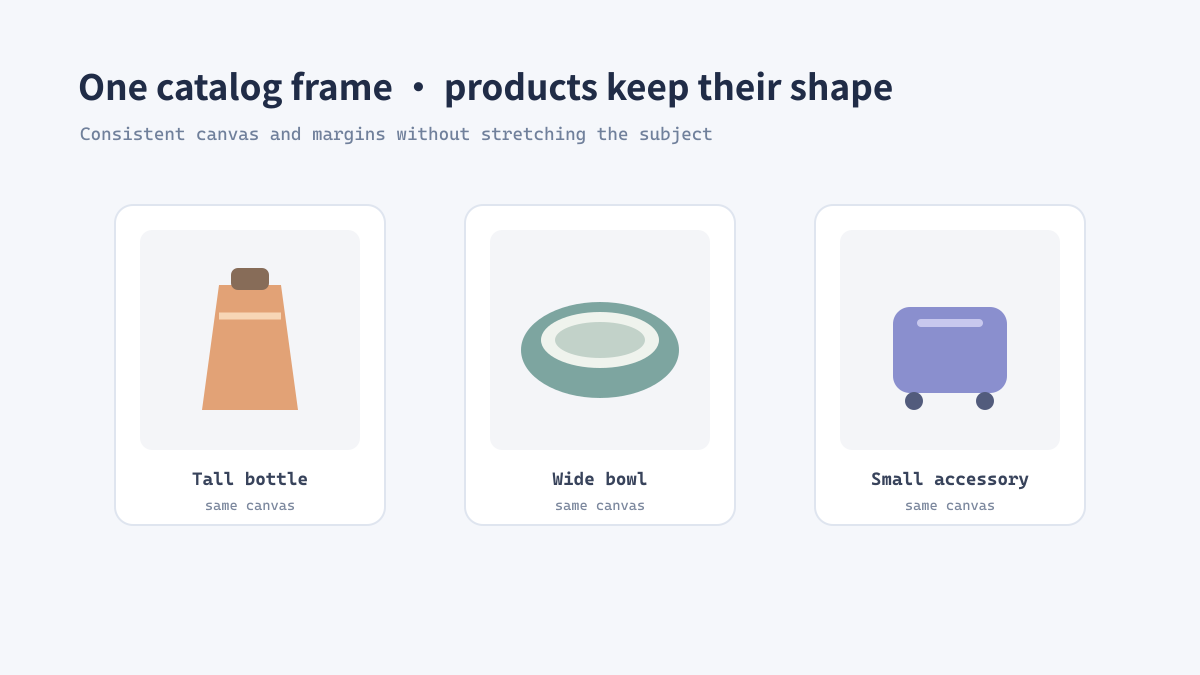
A catalog looks more trustworthy when products share a consistent visual frame. That does not mean every photograph must be cropped identically: the goal is a repeatable canvas and subject scale that follow the store's current image requirements while preserving the product.
Start with the destination requirements
There is no universal marketplace size
Stores and marketplaces can change their accepted dimensions, aspect ratios, and file-size limits. Check the current requirements for the destination before preparing a large batch; do not assume that a setting used for a previous platform still applies.
Create a large, well-organized source master, then export a copy for each placement. A product detail image, listing thumbnail, and social campaign crop may have different framing needs.
Build a consistent frame without distorting the product
Separate subject scale from canvas size
Do not stretch a product to fill a square. If the aspect ratio differs, use a background canvas or a carefully chosen crop instead.
- Record the required pixel dimensions and aspect ratio for the target placement.
- Choose whether the whole product must remain visible or a deliberate crop is acceptable.
- Resize proportionally and place the result on a standardized canvas when uniform framing matters.
- Keep consistent visual margins around similar products.
- Export to the required format and inspect representative products at thumbnail size.
Real example: a mixed-shape homeware catalog
Use a shared canvas and flexible artwork bounds
A catalog can include tall bottles, wide bowls, and compact accessories. Keeping a common square output canvas can align listing cards, while allowing the product itself to occupy a sensible portion of that canvas avoids making small objects appear visually weaker than large ones. Define a subject-scale rule, then review exceptions by category.
A production checklist for catalog exports
Keep the editing master intact
- Check the platform's current requirements before each delivery.
- Keep one high-quality master and create separate delivery copies.
- Preserve aspect ratio; do not stretch products to force a layout.
- Check color, crop, margins, and mobile thumbnail legibility.
- Use a format appropriate to transparency and destination compatibility.
电商设计 · 约9分钟
电商商品图片尺寸指南:建立统一商品目录
商品图片使用统一的视觉画框,能让目录看起来更整洁可信。这不代表每张照片都必须被裁成一样:关键是建立可重复的画布和主体比例规则,同时遵守商店当前的图片要求并保留商品外观。
先确认图片最终使用位置
不存在适用于所有平台的统一尺寸
商店和平台可能调整接受的像素尺寸、宽高比与文件体积限制。批量准备图片前,先检查目标平台的最新要求,不要默认上次项目使用的设置仍然适用。
保留整理好的大尺寸母版,再针对每个版位导出副本。商品详情图、列表缩略图和社交推广裁切的构图需求可能并不相同。
统一画框,但不要拉伸商品
把主体大小与画布分开处理
不要把商品拉伸填满正方形。比例不同时,应使用背景画布或经过确认的裁切方式。
- 记录目标版位要求的像素宽高和宽高比。
- 确定商品是否必须完整显示,或是否允许有意裁切。
- 按比例缩放;需要统一构图时,将结果放在标准画布上。
- 为同类商品保留一致的视觉留白。
- 按要求导出格式,并以缩略图尺寸抽查代表商品。
案例:外形各异的家居用品目录
统一画布,灵活控制商品占比
商品目录可能同时包含高瓶、宽碗和小型配件。使用共同的正方形输出画布可以对齐列表卡片,同时让商品本身占据合理画面比例,避免小物件在视觉上弱于大型商品。可以先定义主体占比规则,再按品类检查例外。
商品目录导出的生产检查表
保留可编辑母版
- 每次交付前检查平台当前的图片要求。
- 保留高质量母版,并分别生成交付副本。
- 保持宽高比,不要为了版式拉伸商品。
- 检查颜色、裁切、留白和手机端缩略图可读性。
- 根据透明需求与目标兼容性选择图片格式。